


课程
664 字
约 2 分钟
大三下
3.1 直线光栅化 - DDA 画线算法
计算机图形学labs/lab03-line-rasterization·更新于 2026-09-15
3.1 直线光栅化 - DDA 画线算法
1. 任务描述
根据下面要求,在右侧修改代码空间,绘制出预期输出的图片。平台会对你编写的代码进行测试。
本关任务
- 根据直线 DDA 算法补全
line()函数,其中直线斜率满足0 < k < 1。 - 当直线方程恰好经过
P(x, y)和T(x, y + 1)的中点M时,统一选取直线上方的T点为显示的像素点。
输入
- 直线两端点坐标:
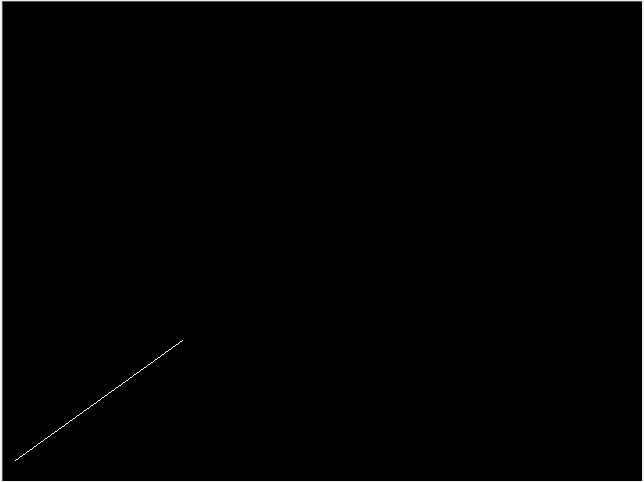
(13, 20)和(180, 140)。 - 直线颜色为白色。
预期输出
程序运行结果为一条直线,具体结果如下图所示:
相关知识
1. 绘制点函数
image.set(x, y, color) 函数是绘制点的函数,参数包括 x, y 和 color:
x:绘制点的 x 坐标。y:绘制点的 y 坐标。color:绘制点的颜色。
2. DDA 算法
DDA 算法相关知识点,请参考教材与课件或有关资料。
操作说明
- 按要求补全
line函数。 - 点击窗口右下角“测评”按钮,等待测评结果,如果通过后可进行下一关任务。
开始你的任务吧,祝你成功!
2. 我的回答
文件 step1/test1.cpp:
#include "tgaimage.h"

const TGAColor white = TGAColor(255, 255, 255, 255);
const TGAColor red = TGAColor(255, 0, 0, 255);

void line(int x0, int y0, int x1, int y1, TGAImage &image, TGAColor color)
{
    // Please add the code here
    /********** Begin ********/
    int x;
    float y,k,dx,dy;
    dx=x1-x0,dy=y1-y0;
    k=dy/dx;
    y=y0;
    for(x=x0;x<=x1;x++)
    {
        image.set(x,int(y+0.5),color);
        y+=k;
    }
    /********** End *********/
}

int main(int argc, char** argv)
{
	TGAImage image(640,480, TGAImage::RGB);
	line(13, 20, 180, 140, image, white);
	image.flip_vertically(); // i want to have the origin at the left bottom corner of the image
	image.write_tga_file("../img_step1/test.tga");

	return 0;
}这只是一个公告
站点域名henu.hodaru.com
Fireflyv6.16.7
Astrov7.2.10
Nodev22.23.2
pnpmv11.22.0
构建时间2026年9月15日 14:41:24
系统信息Linux / x86_64